 AIVIDEOSUGC
URL to Video: Start an Editable Video Draft from a Product Page
Import a public product page into a video draft, then check the photos and details before you choose whether to generate.
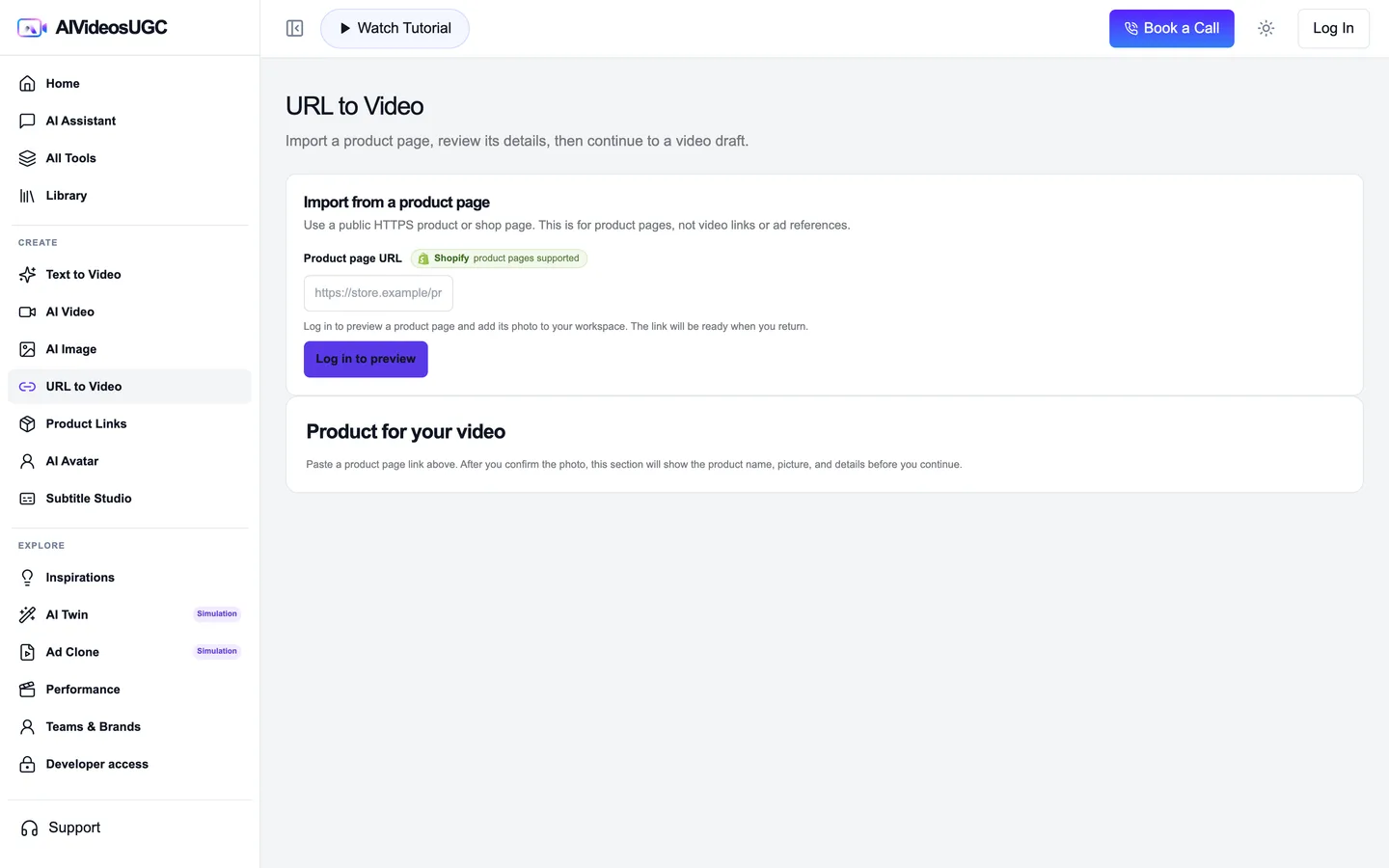
URL to Video is the one-page route: import a public product listing and open an editable video draft. Use Product Links when you want to keep a product entry for repeated use.
The tote images below are homepage examples of product, model, and in-use photos. The sample URL is not a live store import. This guide ends at the editable draft because the example media has not been matched to the same import task.
Public product page → imported photo examples → editable draft
The card and photos are illustrative. They show the kind of information to review, not a successful import or a finished ad.
!Example URL only · not connected to a live store
Canvas tote · example product photosIllustration



Import, review, and stop at the draft
A page import is only useful when the product details are correct. Verify the fields before you continue.
Open URL to Video
Go to [URL to Video](/app/create/url-to-video). If the workspace asks you to sign in, return to this tool after signing in.
Paste a public product-page URL
Use a public HTTPS product listing, not a video link or image URL. The example address above is only a placeholder.
Review the product photo and details
Compare the imported name, image, description, and any visible product facts with the live listing. Check each photo before deciding which one to use.
Correct or remove anything you cannot verify
Do not carry an inferred price, material, size, or claim into the draft. If the import is incomplete, try a public supported page or use your own product photos in another video tool.
Open and inspect the editable draft
Continue to the video composer and review the prefilled brief and references. Confirm that the same product is present and that the draft can still be edited. This walkthrough ends before video generation.
Checklist
- The source page is a public product listing, not a video or image URL.
- Imported photos belong to the same product.
- Every carried-over detail is visible on the listing or verified by you.
- The tool opens an editable draft; no finished video is claimed.