 AIVIDEOSUGC
Start From What You Have
A link, a script, or a photo is enough. If one piece is missing, a draft can fill it before you render.
Make a high-converting TikTok Spark Ads clip in minutes. Start from a product link, a script, or a photo, then post it from your own account.
Packages from $24 for one month. You see the credit cost before every job, and if a job fails its credits go back to your balance.
Open a product scene you can post from your own TikTok account. A spoken line and captions can go on before you publish.
Use the input you already have. Post the finished file from your TikTok account.
If you sell online, paste the product page. That page becomes the tall clip you post from TikTok.
Scale your TikTok Spark Ads by making several product openings from one link or photo, then test the one shoppers watch.
A clip you already filmed can be trimmed into the tall phone shape. You finish that cut in this editor.
Type what should happen on screen. That beat becomes the tall clip, with your product still in frame.
Describe the message. You get a draft you can cut before anyone speaks it.
The line can be spoken in an accent your buyers actually hear. You choose the voice before the clip is rendered.
The clip can open more than one way, and it does not have to stay in a single frame size.
Make several UGC-style TikTok ad versions quickly, compare the hooks, and put your spend behind the one that works.
The product does not have to sit on a desk. Ask for a drawn look, or a small 3D scene, if that matches your other posts.
Shoppers see your product, not a stand-in. The color, the size, and the details from your listing stay in frame.
A square can go to Facebook, and a wide file can go to YouTube. TikTok still wants 9:16. You can also use 4:3 or 3:4.
A link, a script, or a photo is enough to begin the tall clip.
A link, a script, or a photo is enough. If one piece is missing, a draft can fill it before you render.
You do not wait on a creator day. Review the file when the job finishes, then post it from the shop account.
The same line can be spoken for shoppers who use another language. A 15-second cut is 20 credits, and the charge shows first.
Three moves, and the clip can go out from your TikTok account.
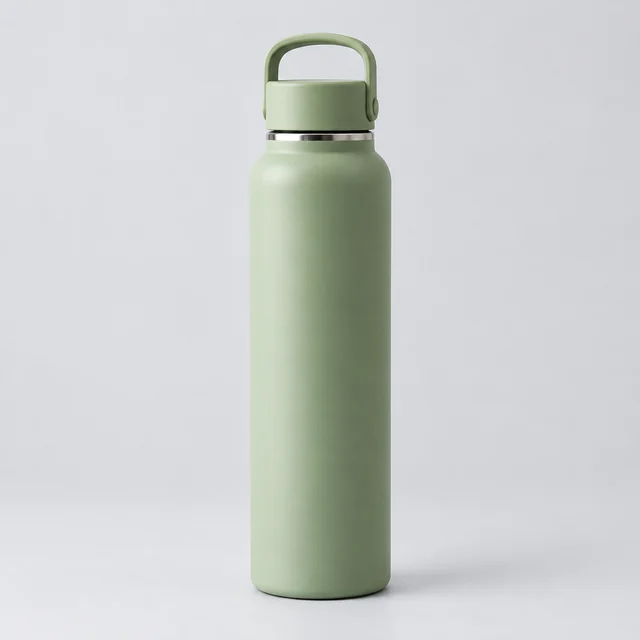
Make a Spark Ad for my water bottle
Add a link, a script, or a photo. Add any extra note that should shape the clip.
Pick an AI avatar to present it, from the library or one you describe.
 00:15
Make the clip, download the tall file, and post it from your TikTok account.
Yes. Make several openings from one product and test different messages or languages. Your software can also start jobs through the API.
A failed job returns its credits. For other refund questions, see our Refund Policy.
Start with a product photo, a public product link, or a short description. Choose an AI actor and message without arranging a shoot.
No. A short product message is enough to start. You can adjust it before the AI actor speaks it.
A 15 or 30 second video costs 20 or 20 credits. Starter costs $24 for one month with 200 credits, Pro $59 for 500, and Studio $129 for 1,200.
You can use your finished video in your own ads and posts without a watermark. Use only photos, logos, and audio you have rights to use.
A Spark-style video is a creator-style TikTok post featuring your product. You can promote it through TikTok after posting it from your account.
Yes. Post the video to TikTok, Instagram, Facebook, or YouTube. Make vertical, square, or wide versions to fit each placement.
Yes. Add a spoken message and captions before posting. Check both on a phone so the product and offer are easy to understand.
A product link, image to video, an AI actor, creator-style ads, TikTok ads, and product videos sit beside this one.
Build your TikTok Spark Ads clip from a link, script, or photo, then edit and download the tall file for your account.